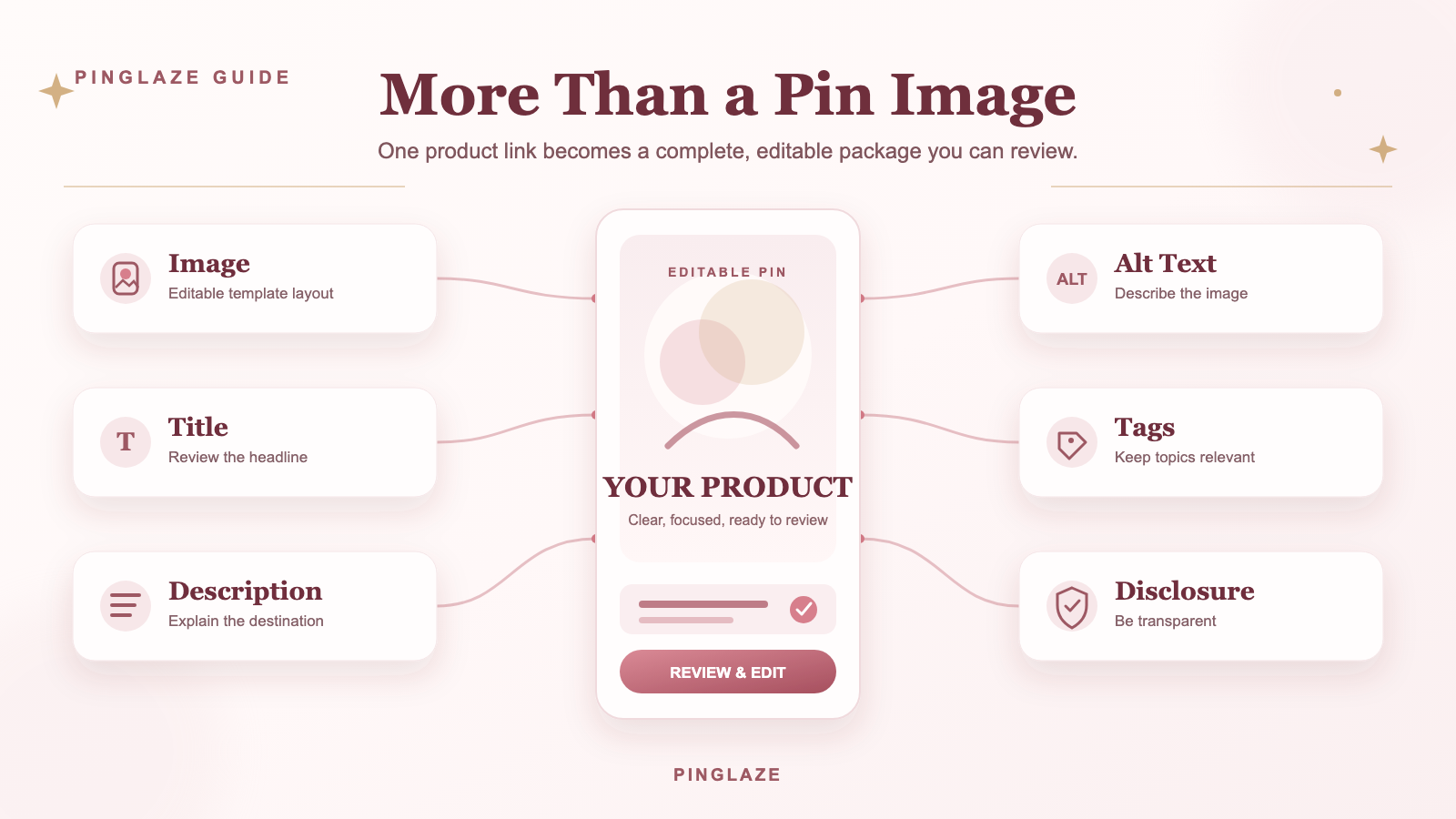
Create more than a Pin image
A useful Pinterest Pin generator should give you everything you need to review before publishing, not just a decorative image.
With PinGlaze, one product link can become a working Pin package that includes:
- An editable Pinterest-style image
- A Pin title
- A Pin description
- Alt text
- Affiliate disclosure copy
- Product details you can correct before downloading
The result stays under your control. You can check the product name, price, discount, call to action, destination link, and publishing copy before you use it.
How to generate a Pinterest Pin from a product link
The workflow keeps the product source, creative format, publishing copy, and final review in one place.
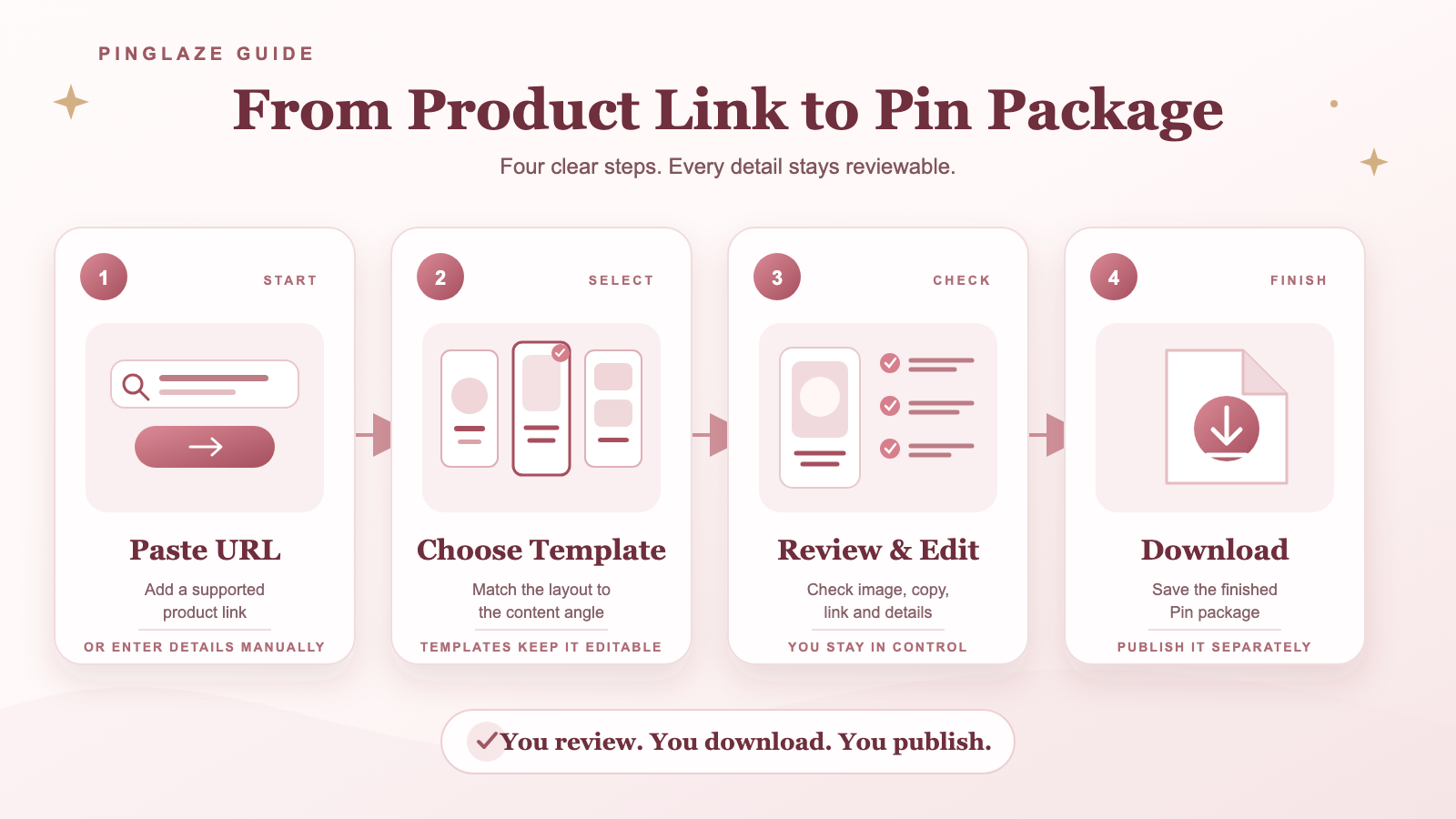
Paste a product URL
Add a product link from a store or brand website. Automatic product importing varies by website, so review every imported detail and enter or correct information manually when needed.
Choose a template
Pick a template that matches the angle of your Pin. A direct product find needs a different layout from a gift guide or a discount-focused Pin.
Generate and review the Pin package
PinGlaze creates the image and supporting copy together. Review the title, description, alt text, disclosure, product information, and destination link as one package.
AI-generated copy is a starting point, not a substitute for checking the source product page. Correct anything that is incomplete, outdated, or unclear.
Edit, download, and publish
Make final edits, download the Pin, and copy the publishing text. PinGlaze currently prepares the assets; it does not automatically publish or schedule the Pin to your Pinterest account.
Choose a template for the job
Templates help you keep important product details readable while changing the creative angle. These content formats are separate from the editor's Pin Type and Template Style controls.
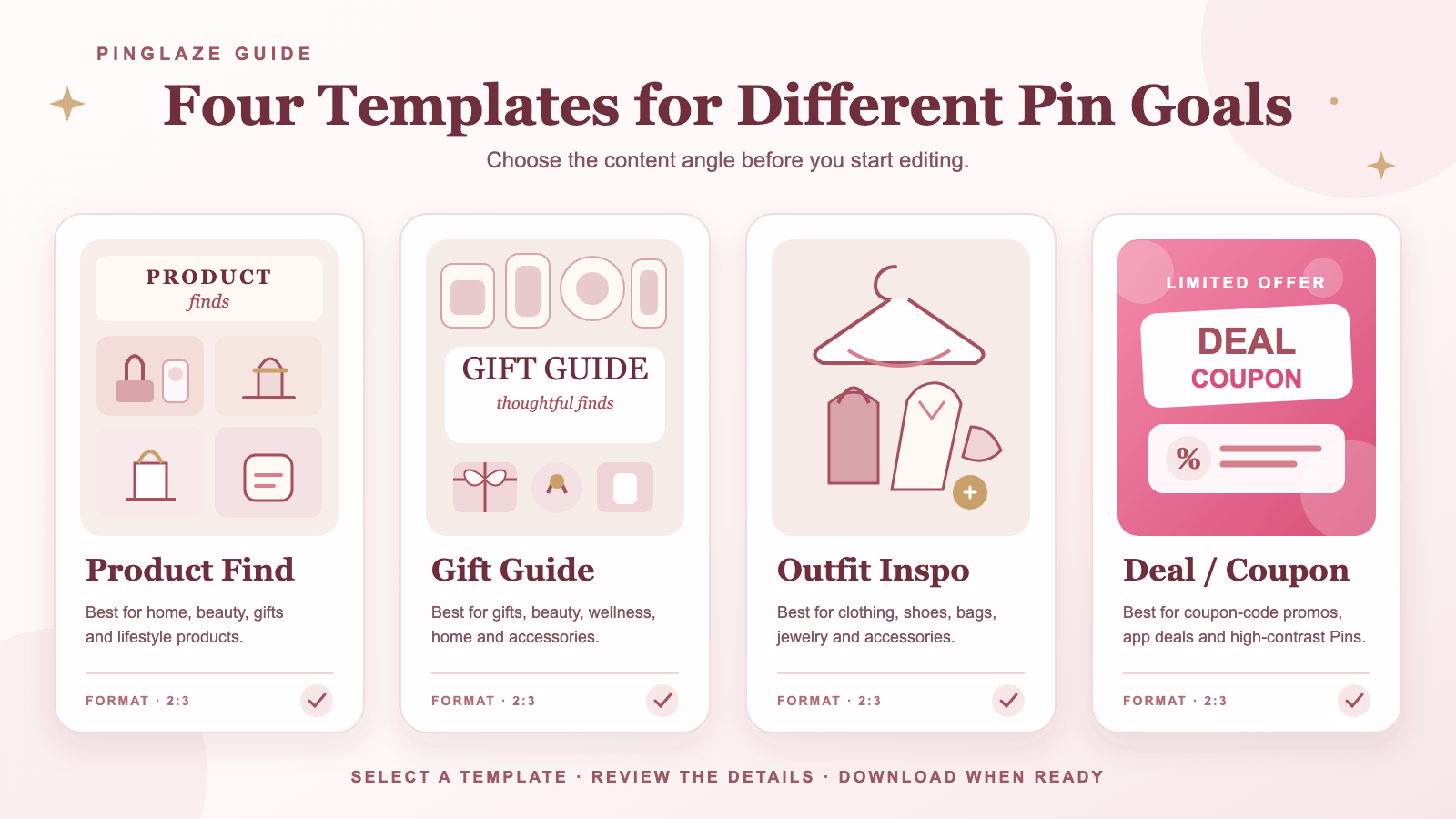
Product Find
Use a Product Find template for home, beauty, gift, and lifestyle products when one item or curated find is the focus. Keep the benefit or use case concise.
Gift Guide
Use a Gift Guide for gifts, beauty, wellness, home, and accessories. A clear recipient, occasion, budget, or theme is more useful than a generic collection.
Outfit Inspo
Use Outfit Inspo for clothing, shoes, bags, jewelry, and accessories. Let the styling lead while keeping the featured products and destination clear.
Deal/Coupon
Use Deal/Coupon for coupon-code promotions, app deals, and high-contrast shopping Pins. Confirm every code, price, and discount before publishing, and remove expired offers.
Built for editable affiliate content
Affiliate Pins need more than attractive visuals. The relationship between the Pin, product, link, and disclosure should be clear.
PinGlaze includes disclosure copy in the generated package so you do not have to remember it at the end. You are still responsible for checking the current rules that apply to Pinterest, your affiliate program, and your location.
Pinterest's commercial content guidelines require transparent commercial content and prohibit deceptive or manipulative behavior. Create original Pins that add value, use an authentic account, and avoid spammy distribution.
Review every Pin before publishing
Use this short checklist before uploading your Pin:
- Does the image match the destination page?
- Are the product name, price, and discount accurate?
- Is the title specific and readable?
- Does the description explain what the user will find after clicking?
- Is the destination URL correct and working?
- Is the affiliate relationship disclosed clearly?
- Is the Pin saved to a relevant board?
- Are the keywords natural rather than repeated or stuffed?
Pinterest recommends adding useful context through titles, descriptions, links, and relevant boards. Good metadata helps the platform understand the Pin, but no generator can guarantee distribution, clicks, rankings, or sales.
Why use templates instead of random AI images?
Random image generation can make product details difficult to control. A visually convincing image may still show the wrong product, an invented label, or unreadable text.
PinGlaze uses editable templates so the information that matters stays visible and reviewable. You can preserve a consistent style while correcting the copy and product details before download.
Frequently asked questions
Do I need design skills to use PinGlaze?
No. Start with a template, review the generated package, and edit the details you want to change.
Can I edit the generated Pin?
Yes. Product details and publishing copy are designed to be reviewed and edited before download.
Does PinGlaze publish Pins automatically?
No. The current workflow generates, edits, downloads, and saves the Pin package. You publish or schedule it separately.
What happens if PinGlaze cannot read a product page?
Automatic importing varies by website. You can enter or correct product details manually and continue creating the Pin.
Can I use PinGlaze for affiliate Pins?
PinGlaze is designed for affiliate content and includes disclosure copy. You must still review the current Pinterest policy and the terms of your affiliate program before publishing.
Does a generated Pin guarantee traffic or affiliate income?
No. Results depend on the product, audience, creative quality, relevance, destination page, publishing strategy, and other factors outside the generator.
Create your first Pinterest Pin package
Paste a product link, choose a template, review the details, and download a Pinterest-ready package.